Level 1: Middle C
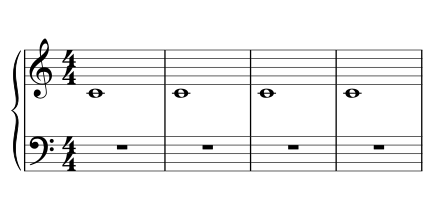
One note, right hand. Find middle C and play it in time.


Sight-reading
Free sight-reading exercises generated for your level, from a single note upward. Play them on a connected MIDI keyboard and the drill adapts to the notes you find hardest.
Start the drill — no account, nothing to install. Connect a digital piano to be graded as you play.
Sight-reading only happens the first time through: replay the same page and you are practising memory, not reading. Books of graded excerpts go stale for exactly this reason — by the third pass you know how the line goes. The drill removes that ceiling by dealing a fresh exercise every time, so every repetition is a first read.
Freshly generated does not mean random. Each exercise is dealt from two fixed constraints: the level decides what notation is allowed to appear, and your own reading history decides which of those notes appear most. Difficulty and weakness stay separate — a level-3 exercise is always a level-3 exercise; it just leans on whichever of those five notes is rusty.
Each level adds exactly one new thing — one more pitch, the other clef, a shorter note value, a second simultaneous note — so when you stall, there is only one plausible cause. The engravings below are not illustrations: each is an exercise the engine actually dealt at that level, engraved by the same renderer the drill uses.
One note, right hand. Find middle C and play it in time.
Three neighbouring notes. Read the step up and the step down.
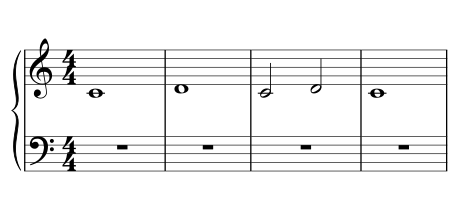
The whole right hand without moving it. Quarter notes join in.
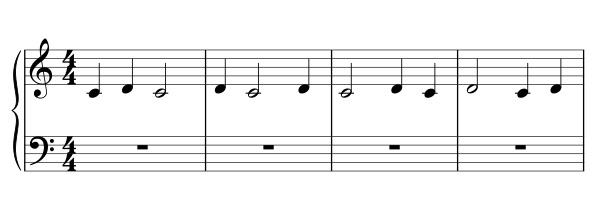
A new clef. Same idea as level 1, read with the left hand.
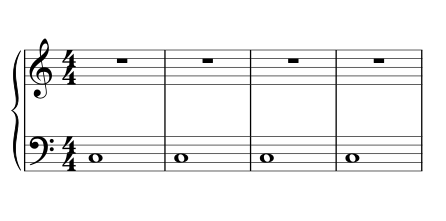
Steps in the bass clef.
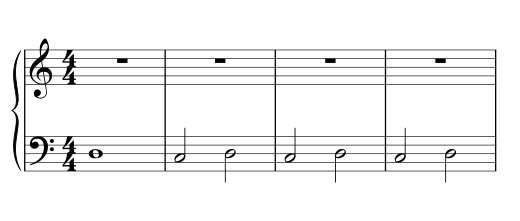
The whole left hand in place.
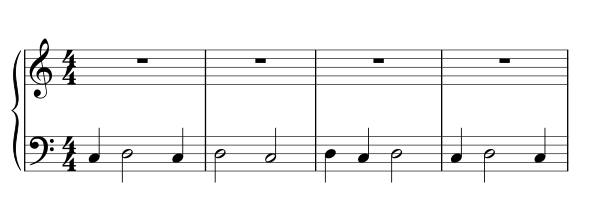
Both staves on the page. One hand per measure — read ahead.
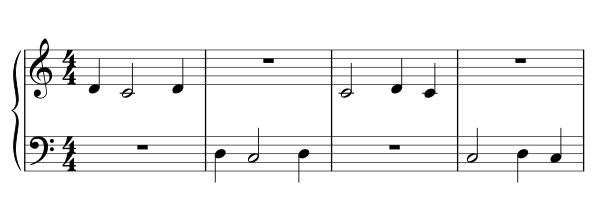
Faster values. Keep the pulse steady as the notes subdivide.
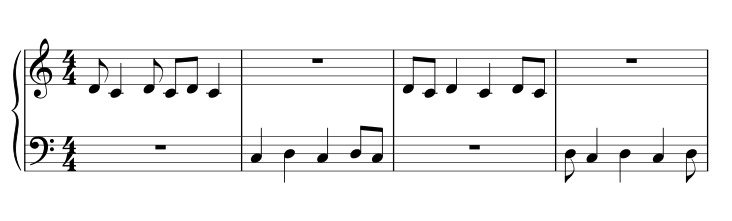
A full octave in each hand. The hand now has to move.
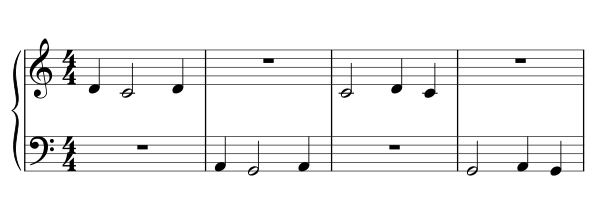
Read a shape, not a note: intervals within one hand.
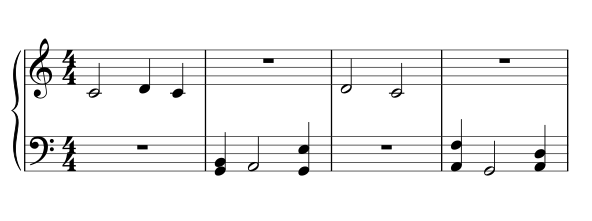
Two accidentals: F sharp and C sharp. Check the sign before you commit to a key.
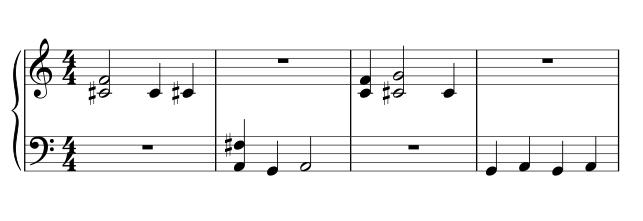
Both staves at once, now with G sharp too — the real thing.
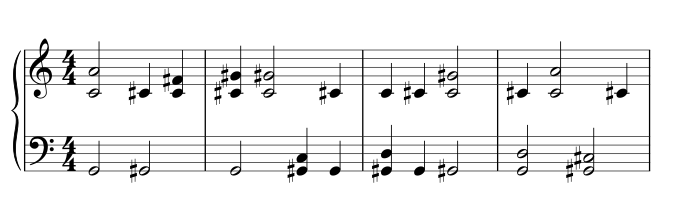
With a MIDI keyboard connected, every note you play is compared with the notation at the cursor. The drill grades what it can hear, and nothing it can’t: wrong pitches count against a note, hesitation counts a little, and tone, fingering, and dynamics are not judged at all.
No keyboard connected? The exercise is still dealt and readable — you can step through it at your own pace. Grading, and therefore adaptation, needs the instrument.
Most drills track a score. This one tracks a memory — separately for every note on every staff, because being able to read G on the treble staff says nothing about reading G on the bass staff. Each of those reading skills carries its own stability: an estimate of how long the memory holds before it fades. Clean reads stretch it; a lapse collapses it.
When the next exercise is dealt, notes are drawn by how likely you are to have forgotten them — a note is never “done”, it is only ever more or less overdue. A note you missed thirty seconds ago can reappear in the very next exercise; one you have read cleanly for weeks nearly disappears. Flashcard apps schedule by the day; reading is drilled by the second, so the same curve runs on a continuous clock instead.
Two more rules keep the drill honest. New notes are introduced only a couple at a time, and only while the notes already introduced are holding up — a page of unfamiliar notation is noise, not practice. And a level is only offered as complete when nearly all of its notes are secure — read cleanly several times in a row and stable over minutes, not luck — so levelling up means the staff got easier to read, not that you had a good streak.
New to the notation itself? The reading-the-staff reference covers the staff and ledger lines, clefs explains the two clefs the drill uses, and key signatures prepares the accidentals that arrive at level 11 — each shown inside a real score.
Nothing to install and no account — your progress is saved in your browser. Live grading needs a digital piano connected by USB and a browser with Web MIDI support: current desktop Chrome, Edge, Firefox, and Opera qualify; Safari does not. The setup guide walks through connecting an instrument.
When you would rather read repertoire than exercises, the score library has over a thousand public-domain pieces free to open — and Wait mode there is the same idea at full-score scale: notation that listens and moves when you play it.